



A framework-agnostic mental model for pausing an agent, getting human sign-off, and resuming, plus working LangGraph and OpenAI Agents SDK code and the conditional-approval threshold pattern.
What is a human-in-the-loop AI agent?
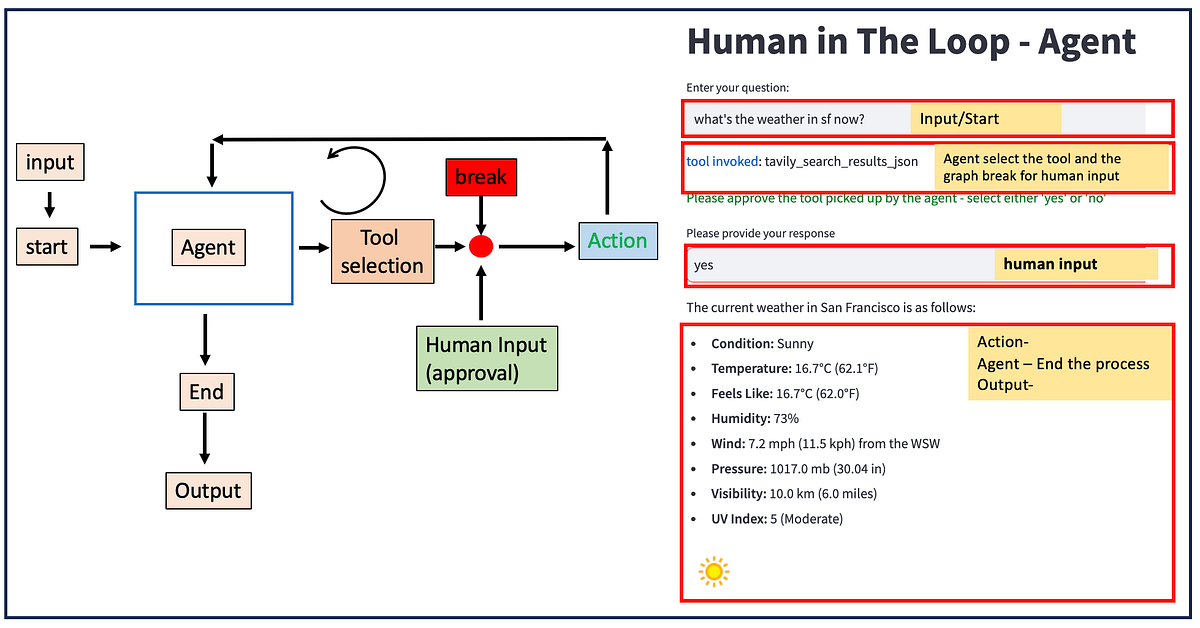
A human-in-the-loop AI agent is an agent that pauses itself before a consequential action, surfaces the proposed action to a person for approval, and resumes exactly where it left off once that person approves, rejects, or edits it. The pause is not a stop. The agent’s full reasoning state is frozen, persisted, and later restored so the run continues as if it never halted.
Every major framework now ships this primitive, and that is the problem: the docs are framework-locked. LangGraph teaches you interrupt(). OpenAI teaches you interruptions and RunState. Vercel teaches you needsApproval. Microsoft teaches you approval_mode. Each reads like the others don’t exist, so builders learn one dialect and assume the concept is bespoke to their library. It isn’t.
This tutorial does the thing none of those pages do: it builds the framework-agnostic mental model first, then implements the identical approve / reject / edit-and-resume pattern in two stacks side by side (LangGraph and the OpenAI Agents SDK), and finally spells out two things every ranking result glosses over — the non-negotiable state-persistence requirement, and the conditional-approval threshold so that only high-stakes actions (say, payments over $1,000) ever interrupt a human.
By the end you’ll have an approval gate you can drop in front of any tool call, in any framework, plus the vocabulary to port it to whatever your team adopts next.
How do you pause an AI agent for approval and resume it?
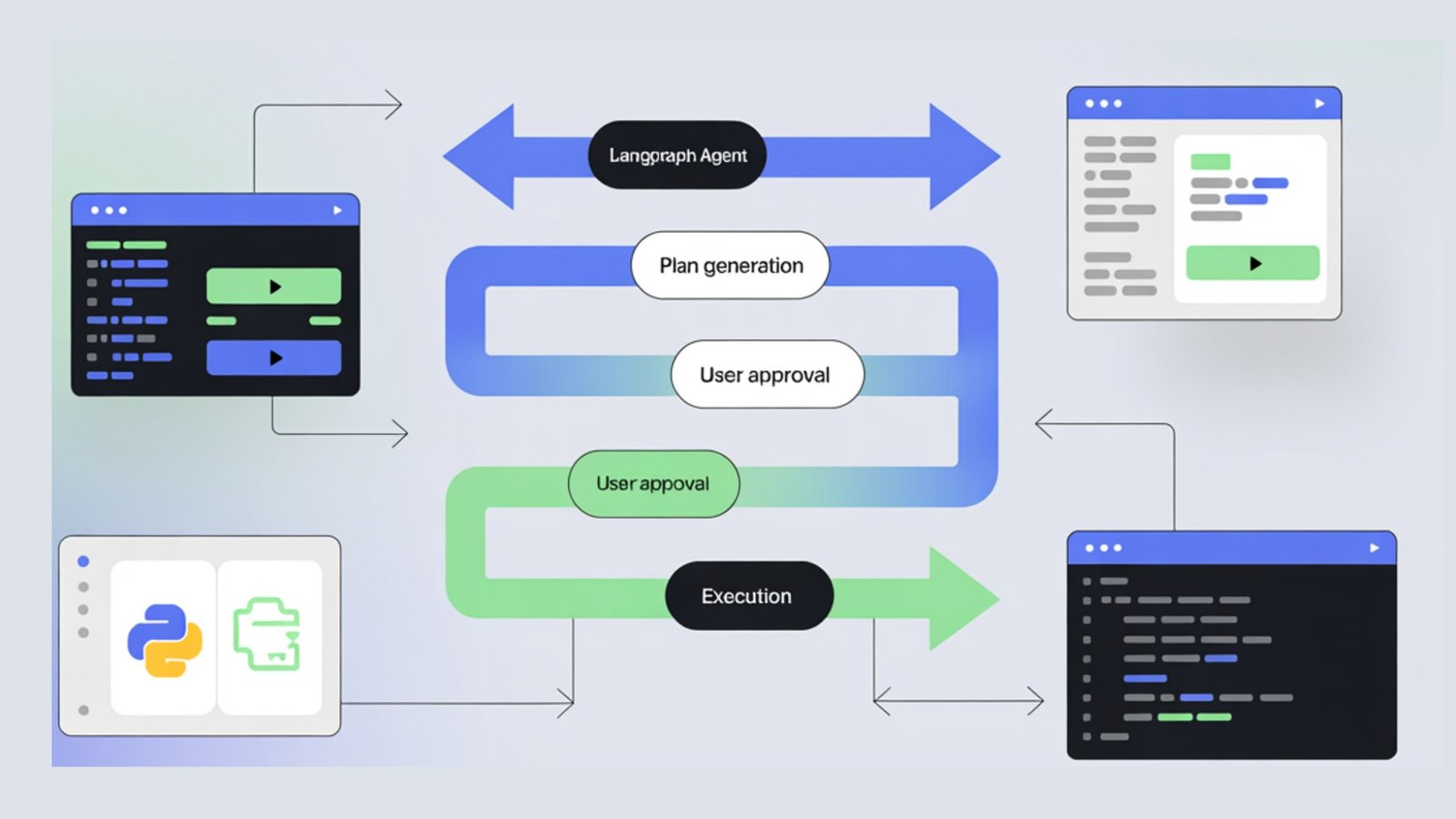
You pause an AI agent by raising an interrupt at the point of a risky tool call, persisting the agent’s entire state to durable storage, and returning control to your application; you resume by reloading that state and feeding the human’s decision back in as the value the agent was waiting on. Conceptually it is one loop with four moves, identical across every framework.
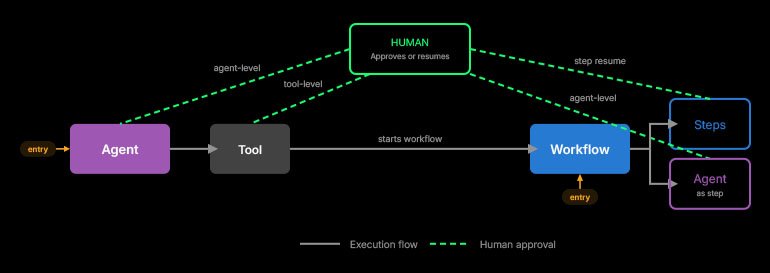
Move 1 — Gate. Before a tool with side effects runs, the agent checks an approval condition. Move 2 — Suspend and persist. If approval is required, the framework snapshots the run (messages, tool args, position in the graph) to a checkpointer or serialized state and hands you a pending-approval object. Move 3 — Decide. Your app shows the proposed action to a human, who picks approve, reject, or edit. Move 4 — Resume. You re-invoke the agent with the decision; the framework restores the snapshot and the decision becomes the return value of the original pause point.
The names differ but the moves don’t. Here is the same mental model mapped across the four frameworks named in this guide:
Resume is not a function call into the paused node — it is a re-invocation of the whole agent from the persisted snapshot. The human’s decision becomes the return value of the original pause point, not a fresh argument. If you design your code assuming the node ‘continues from the next line with a new parameter,’ you’ll fight the framework. Design it as: persist, exit, rehydrate, re-enter.
| Move | LangGraph (Python) | OpenAI Agents SDK (Python) | Vercel AI SDK | MS Agent Framework |
|---|---|---|---|---|
| Gate | interrupt() inside a node | needs_approval on @function_tool | needsApproval on tool | approval_mode on @tool |
| Suspend + persist | checkpointer snapshots state | result.interruptions + to_state() | approval-requested tool part | run returns input-required |
| Decide | your app reads stream.interrupts | state.approve / state.reject | addToolApprovalResponse | caller collects input |
| Resume | invoke(Command(resume=…)) | Runner.run(agent, state) | send approval response | pass input in a new run |
Why a checkpointer is the non-negotiable requirement
Without a checkpointer (LangGraph) or serialized RunState (OpenAI Agents SDK), a paused agent cannot resume at all — there is no saved snapshot to restore, so the human’s approval has nothing to attach to. This is the single most common reason ‘my interrupt works in the tutorial but my resume returns garbage’ tickets exist.
The mechanism is simple once you see it. When the agent suspends, the framework must dump everything needed to continue: the message history, the exact tool name and arguments awaiting approval, and the position in the control flow. That dump goes to a store. On resume, the framework reads the store, rebuilds the run, and slots the human’s decision into the waiting pause point. No store, no rebuild.
LangGraph makes this explicit: you compile the graph with a checkpointer or interrupts silently do nothing useful. The LangChain docs state the resume value ‘becomes the return value of the interrupt() call’ — which is only possible because the call’s continuation was persisted. The OpenAI Agents SDK reaches the same place through result.to_state() plus state.to_json() / RunState.from_json(...), which serialize the pending run so it can sit in a database or queue for hours and rehydrate cleanly.
The choice that actually matters in production is which backing store. For local dev, an in-memory saver is fine. The moment a real human is in the loop — and a deploy, a crash, or a six-hour wait can happen between pause and approve — you need a durable store. Pick it on day one.
| Environment | LangGraph checkpointer | OpenAI Agents SDK | Survives restart? |
|---|---|---|---|
| Local dev / demo | InMemorySaver | RunState held in memory | No |
| Single-process service | SqliteSaver | to_json() to local SQLite | Yes (if file persists) |
| Production / multi-instance | PostgresSaver | to_json() to Postgres/queue | Yes |
| Long-wait approvals (hours) | PostgresSaver + thread_id | RunState.from_json on resume | Yes — designed for it |
LangGraph interrupt human in the loop: working code
In LangGraph you call interrupt() inside a node to pause, compile the graph with a checkpointer so the state is saved, and resume by invoking with Command(resume=decision) on the same thread_id — the decision becomes the return value of interrupt(). Here is a complete approve / reject / edit gate in front of a payment tool.
Note the three patterns are all expressed through one interrupt() call: the payload you pass out describes the proposed action, and the value you pass back in (Command(resume=...)) carries the human’s choice. Approve resumes as-is; reject routes to a cancel branch; edit overwrites the proposed arguments before the tool runs.
Do not wrap interrupt() in a bare try/except — it raises a control-flow exception the framework needs to catch. And keep any side effects BEFORE interrupt() idempotent: on resume, code above the interrupt re-runs from the top of the node. Put the irreversible work strictly after the gate.
from typing import TypedDict, Literal
from langgraph.graph import StateGraph, START, END
from langgraph.types import interrupt, Command
from langgraph.checkpoint.memory import InMemorySaver  # use PostgresSaver in prod


class State(TypedDict):
    amount: float
    recipient: str
    status: str


def propose_payment(state: State) -> State:
    # The agent has decided to pay someone. Nothing has executed yet.
    return {"status": "proposed"}


def approval_gate(state: State) -> Command[Literal["execute", "cancel"]]:
    # interrupt() pauses HERE. The payload is surfaced to your app.
    decision = interrupt({
        "question": "Approve this payment?",
        "amount": state["amount"],
        "recipient": state["recipient"],
    })
    # On resume, `decision` == the value of Command(resume=...).
    if decision["action"] == "approve":
        return Command(goto="execute")
    if decision["action"] == "edit":
        # Edit-and-resume: overwrite the proposed args, then execute.
        return Command(
            goto="execute",
            update={"amount": decision["amount"], "recipient": decision["recipient"]},
        )
    return Command(goto="cancel")  # reject -> alternate route


def execute(state: State) -> State:
    print(f"PAID ${state['amount']} to {state['recipient']}")
    return {"status": "paid"}


def cancel(state: State) -> State:
    return {"status": "cancelled"}


builder = StateGraph(State)
builder.add_node("propose_payment", propose_payment)
builder.add_node("approval_gate", approval_gate)
builder.add_node("execute", execute)
builder.add_node("cancel", cancel)
builder.add_edge(START, "propose_payment")
builder.add_edge("propose_payment", "approval_gate")
builder.add_edge("execute", END)
builder.add_edge("cancel", END)

# REQUIRED: without a checkpointer, interrupt()/resume cannot work.
graph = builder.compile(checkpointer=InMemorySaver())

config = {"configurable": {"thread_id": "pay-001"}}

# 1) Run until the gate. It pauses; nothing is paid yet.
result = graph.invoke({"amount": 4200.0, "recipient": "Acme Corp"}, config=config)
print(result.get("__interrupt__"))  # the payload your reviewer sees

# 2) A human reviews and edits the amount, then we resume on the SAME thread_id.
final = graph.invoke(
    Command(resume={"action": "edit", "amount": 4000.0, "recipient": "Acme Corp"}),
    config=config,
)
print(final["status"])  # -> paid
OpenAI Agents SDK human in the loop: working code
In the OpenAI Agents SDK you mark a tool with needs_approval=True, run the agent, then loop over result.interruptions calling state.approve(item) or state.reject(item) on result.to_state(), and resume with Runner.run(agent, state) until there are no more interruptions. The same approve / reject / edit gate, in the OpenAI dialect:
The mechanical difference from LangGraph is where the gate lives. LangGraph gates inside a graph node; the Agents SDK gates on the tool itself via needs_approval, and pending decisions surface as ToolApprovalItem objects in result.interruptions. Persistence is via to_state() and the JSON serializers, which is how a refund approval can wait hours in a queue and still resume cleanly.
import asyncio
from agents import Agent, Runner, RunState, function_tool


# Gate the tool itself. Every call to it pauses for approval.
@function_tool(needs_approval=True)
async def send_payment(amount: float, recipient: str) -> str:
    return f"PAID ${amount} to {recipient}"


agent = Agent(
    name="Payments",
    instructions="Pay vendors when asked.",
    tools=[send_payment],
)


def human_decision(item):
    # Replace with your real UI/queue. Returns: approve | reject | edit
    return {"action": "approve"}


async def main():
    result = await Runner.run(agent, "Pay Acme Corp $4200 for invoice 88.")

    while result.interruptions:
        state = result.to_state()

        # OPTIONAL: persist across a restart / long wait.
        # blob = state.to_json(); save_to_db(blob)
        # state = await RunState.from_json(agent, blob)

        for item in result.interruptions:
            choice = human_decision(item)
            if choice["action"] == "approve":
                state.approve(item)               # approve-as-is
            elif choice["action"] == "edit":
                # Edit-and-resume: reject the proposed call with a corrected
                # instruction so the model re-issues the tool call with new args.
                state.reject(item, rejection_message="Use $4000, not $4200.")
            else:
                state.reject(item)                # reject -> model re-plans

        result = await Runner.run(agent, state)   # resume from saved state

    print(result.final_output)


asyncio.run(main())
Troubleshooting: my resume returns a fresh run instead of continuing
You almost certainly passed the original prompt string to Runner.run again instead of the state object. Resume is Runner.run(agent, state) — the second argument must be the RunState (or a rehydrated one from RunState.from_json), not a new message. In LangGraph the equivalent mistake is calling invoke({…inputs…}) instead of invoke(Command(resume=…)); passing inputs starts a new run on that thread.Troubleshooting: ‘no checkpointer found’ / interrupt does nothing
In LangGraph, interrupt() requires the graph to be compiled with a checkpointer AND invoked with a thread_id in config. Both are mandatory. If either is missing the framework has nowhere to persist the snapshot, so it can’t pause-and-resume. In the Agents SDK the analog is forgetting to call result.to_state() before approve/reject, or losing the state object between turns without serializing it.Troubleshooting: edit-and-resume keeps re-prompting the human
Edit works differently per framework. In LangGraph you overwrite the proposed args in the Command(resume=…) / state update and route straight to execute. In the Agents SDK there is no in-place arg edit, so you reject with a rejection_message that tells the model the corrected value; the model re-issues the tool call, which will pause again. If you want a true silent edit, intercept and rewrite the tool arguments in your own code before approving, rather than round-tripping through the model.AI agent approval threshold: only gate what matters
The conditional-approval threshold pattern means only high-stakes tool calls interrupt a human — for example, payments over $1,000 require approval while smaller amounts auto-execute — implemented by making the approval condition a function of the tool’s arguments, not a constant. This is the difference between an approval gate people actually read and one they reflexively rubber-stamp.
Every framework supports it because the gate is just a predicate. The Vercel AI SDK makes it the cleanest: needsApproval accepts an async function, so needsApproval: async ({ amount }) => amount > 1000 sends amounts under $1,000 straight through and only pauses the rest. The OpenAI Agents SDK takes the same shape — needs_approval accepts a callable that receives the run context, parsed parameters, and call id and returns a boolean. In LangGraph you simply guard the interrupt() with an if on the state.
Here is the threshold expressed in all three so you can see it is one idea, not three:
Pros
Cons
Dollar amount is the obvious one, but the same predicate pattern gates on blast radius (deleting more than ten rows), reversibility (anything that emails an external party), or sensitivity (touching PII). The function just returns a boolean — make it return true for whatever ‘consequential’ means in your domain.
# --- Vercel AI SDK (TypeScript): conditional approval on the tool ---
# import { tool } from 'ai'; import { z } from 'zod';
const sendPayment = tool({
  description: 'Pay a vendor',
  inputSchema: z.object({ amount: z.number(), recipient: z.string() }),
  needsApproval: async ({ amount }) => amount > 1000,  // <=1000 auto-runs
  execute: async ({ amount, recipient }) => `PAID $${amount} to ${recipient}`,
});

# --- OpenAI Agents SDK (Python): callable predicate ---
async def over_threshold(_ctx, params, _call_id) -> bool:
    return params.get("amount", 0) > 1000   # only big payments pause

@function_tool(needs_approval=over_threshold)
async def send_payment(amount: float, recipient: str) -> str:
    return f"PAID ${amount} to {recipient}"

# --- LangGraph (Python): guard the interrupt in the node ---
def approval_gate(state):
    if state["amount"] <= 1000:
        return Command(goto="execute")          # auto-execute, no human
    decision = interrupt({"amount": state["amount"]})  # only large amounts pause
    return Command(goto="execute" if decision["action"] == "approve" else "cancel")
Putting it together: a production-grade approval gate
Build the gate once, in your own vocabulary, then adapt it per framework
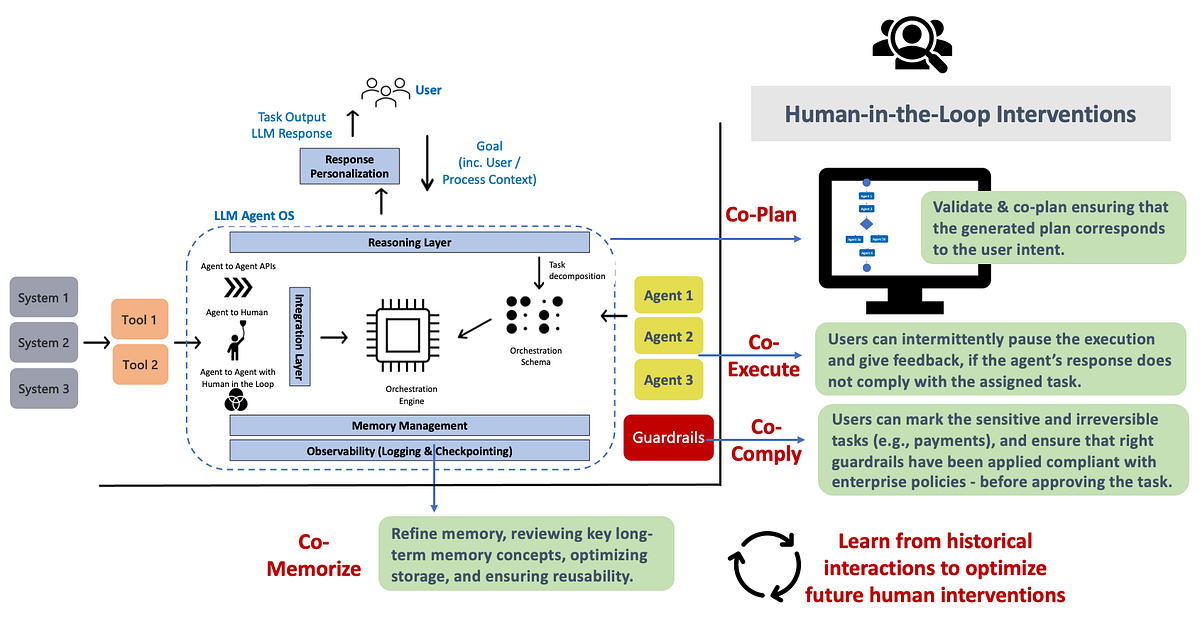
A production human-in-the-loop ai agent combines four things: a consequence-based threshold so only risky calls pause, a durable checkpointer so paused runs survive restarts, an approve/reject/edit decision contract, and an audit record of who decided what. The code above gives you the first three; the fourth is the one teams forget and regret.
Treat the approval gate as part of your observability surface, not a side feature. Every pause is a high-signal event: it tells you exactly which actions your agent considers risky enough to escalate, how often humans override the model, and where the model keeps proposing things that get rejected (a strong signal your prompt or tool design needs work). Pipe those events into the same telemetry as the rest of your agent.
The migration path is also clearer once you hold the mental model. Moving from LangGraph to the Agents SDK (or to Vercel or Microsoft’s framework) is not a rewrite of your approval logic — it’s a re-mapping of the same four moves to new method names. Keep your decision payload and your threshold policy framework-agnostic, and the framework-specific code shrinks to a thin adapter.
Test it like the rest of your agent. Write eval cases that assert: a small action auto-executes without an interrupt, a large action pauses, an approve resumes and executes the exact proposed args, an edit executes the corrected args, and a reject leaves nothing executed. Those five assertions catch the overwhelming majority of approval-gate bugs before they reach a customer.
Builder’s take
I’m Surya Koritala, founder of Cyntr and Loomfeed, and I’ve shipped approval gates into production orchestration. The thing nobody tells you: the hard part isn’t the interrupt() call, it’s the state persistence and the threshold logic. Here’s what I’d tell my own team.
- The checkpointer is not optional and it is not a dev convenience. If you skip it your agent literally cannot resume, because there is no saved snapshot to restore from. Treat ‘which durable store backs my paused runs’ as a day-one architecture decision, not a later optimization.
- Gate on consequence, not on tool name. A blanket ‘approve every write’ rule trains your reviewers to rubber-stamp. In Cyntr we only escalate actions above a money or blast-radius threshold, so the approvals that do land actually get read.
- Build the resume path to survive a process restart. The interruption that matters is the refund request that sits in a queue for six hours. If your only ‘state’ is an in-memory object, a deploy wipes it. Serialize to JSON, store it, rehydrate it.
- Always offer edit-and-resume, not just approve/reject. Reviewers rarely want the exact action the model proposed; they want to tweak the amount or the recipient. An approve-only gate just sends control back to the model and you lose the human’s correction.
- Log the decision, the decider, and the original proposed arguments. Six months later when something goes wrong, ‘a human approved it’ is worthless without ‘this human approved these exact arguments at this time.’
Frequently asked questions
Add an approval gate in front of any tool call with side effects. The gate raises an interrupt that pauses the run and persists its full state, surfaces the proposed action to a person, and resumes once they approve, reject, or edit. In LangGraph that’s interrupt() inside a node plus a checkpointer; in the OpenAI Agents SDK it’s needs_approval=True on the tool plus RunState. The pattern is identical across frameworks — only the method names change.
You pause by raising an interrupt at the risky tool call, which snapshots the agent’s state (messages, tool arguments, position) to durable storage and returns control to your app. You resume by reloading that snapshot and passing the human’s decision back in: in LangGraph, invoke with Command(resume=decision) on the same thread_id; in the OpenAI Agents SDK, call state.approve/reject then Runner.run(agent, state). The decision becomes the value the agent was waiting on.
Because resuming requires restoring the exact state the agent was in when it paused, and that state has to be saved somewhere. The checkpointer is the store. Without it, LangGraph has no snapshot to restore, so interrupt() and Command(resume=…) cannot work. Use InMemorySaver for local dev and a durable store like PostgresSaver in production so paused runs survive restarts and long waits.
Mark a tool with needs_approval=True (or a callable predicate). When the agent calls it, the run pauses and result.interruptions contains ToolApprovalItem objects. Convert with result.to_state(), call state.approve(item) or state.reject(item) for each, then resume with Runner.run(agent, state). To survive a restart, serialize with state.to_json() and rehydrate with RunState.from_json(agent, blob).
Yes — that’s the conditional-approval threshold pattern, and it’s the recommended default. Make the approval condition a function of the tool’s arguments. In the Vercel AI SDK, needsApproval: async ({ amount }) => amount > 1000 auto-runs anything at or under $1,000 and pauses the rest. The OpenAI Agents SDK accepts the same callable on needs_approval; in LangGraph you guard the interrupt() with an if on the state.
Approve-as-is runs the proposed action unchanged. Reject-and-route denies it and lets the agent take an alternate path or stop. Edit-and-resume changes the proposed arguments before execution — for example lowering a payment amount. All three are just different values fed back into the same pause point. Build your decision payload to carry all three from the start; an approve-only gate forces reviewers to bounce control back to the model just to make a small correction.
Primary sources
- Interrupts — LangGraph (Python) docs — LangChain
- Human-in-the-loop — OpenAI Agents SDK (Python) — OpenAI
- Run state — OpenAI Agents SDK — OpenAI
- Human-in-the-Loop with Tool Approval — Vercel AI SDK Cookbook — Vercel
- Using function tools with human-in-the-loop approvals — Microsoft Learn
- Making it easier to build human-in-the-loop agents with interrupt — LangChain
Last updated: June 2, 2026. Related: Observability.




