

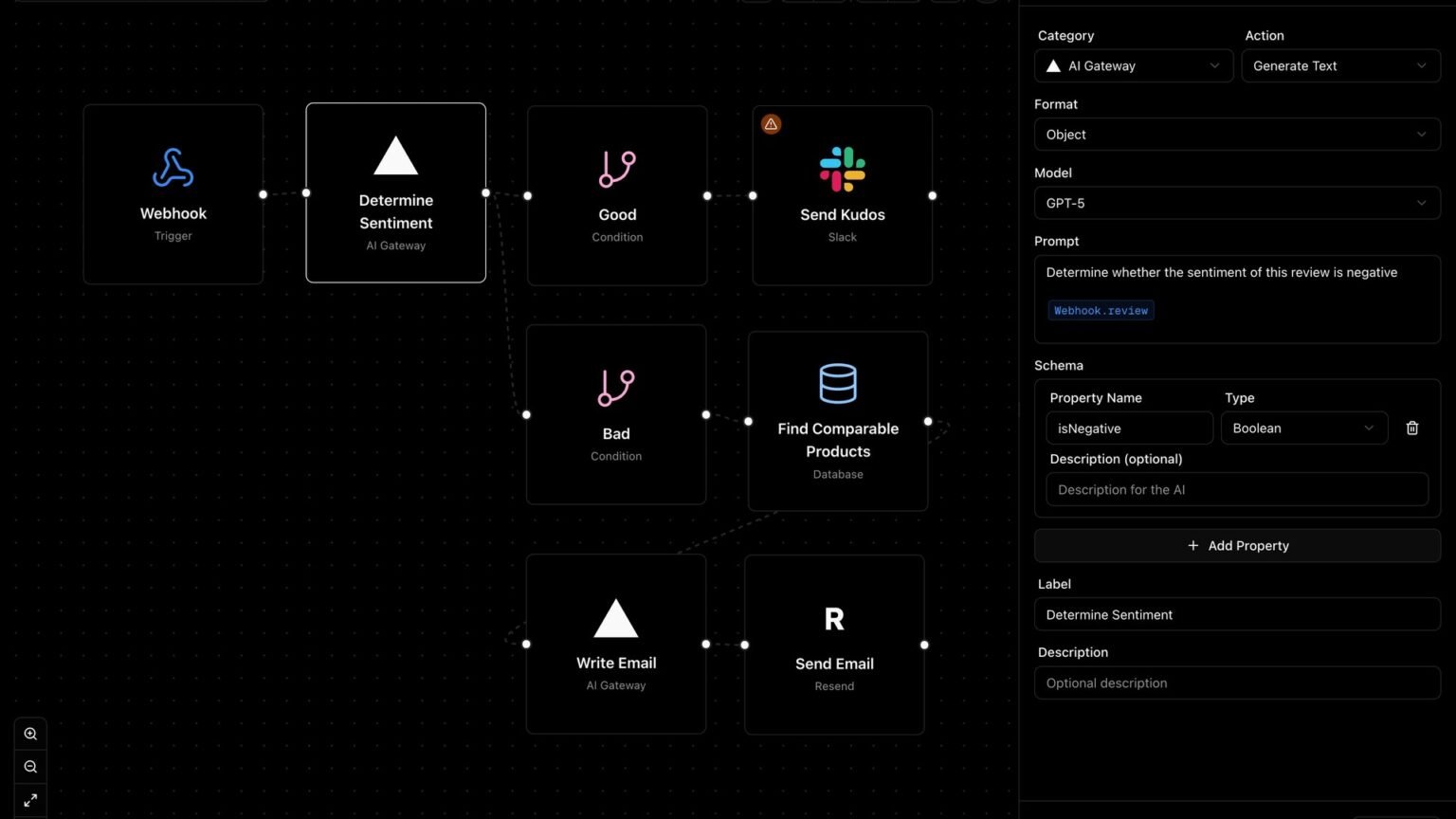

Five visual builders, scored on the six dimensions buyers actually fail on in production: real integration count, MCP write stability, export, triggers, billing, and lock-in.
What is the best no-code AI agent builder 2026?
The best no-code AI agent builder 2026 for most teams is n8n, because it is the only visual builder here that combines a large real integration library, model-agnostic agents, execution-based billing, and a self-host escape hatch — the four things that actually decide whether an agent survives production. But “best” is the wrong question. The right question is “which one fails on the dimension I cannot afford to fail on?” — and that answer changes per team.
Every ranking post you have already read is either a vendor pushing its own action layer (Composio, Inkeep, Rasa) or an SEO farm listing twenty tools at the depth of a tooltip. None of them scores these platforms on the six dimensions buyers actually fail on after the demo: how many integrations truly work, whether MCP write operations are stable, whether you can export and leave, whether it fires on events, what it really costs to run, and how hard it locks you to one model vendor.
This guide is the vendor-neutral version. Below is a failure-mode matrix and a job-to-tool router for five visual builders: OpenAI AgentKit (Agent Builder), Microsoft Copilot Studio, Google’s Gemini Enterprise Agent Platform (the former Vertex AI Agent Builder), n8n, and Zapier. Every cell is sourced; where the truth is unknown, we mark it unknown instead of guessing.
One freshness note that trips up older comparisons: as of Cloud Next 2026, Google rebranded Vertex AI Agent Builder as the Gemini Enterprise Agent Platform, and Vertex AI stopped appearing in the Google Cloud Console on May 21, 2026. If a 2025 article tells you to ‘open Vertex AI Agent Builder,’ that menu item no longer exists — the capability lives on under the new name with Agent Studio as its low-code surface.
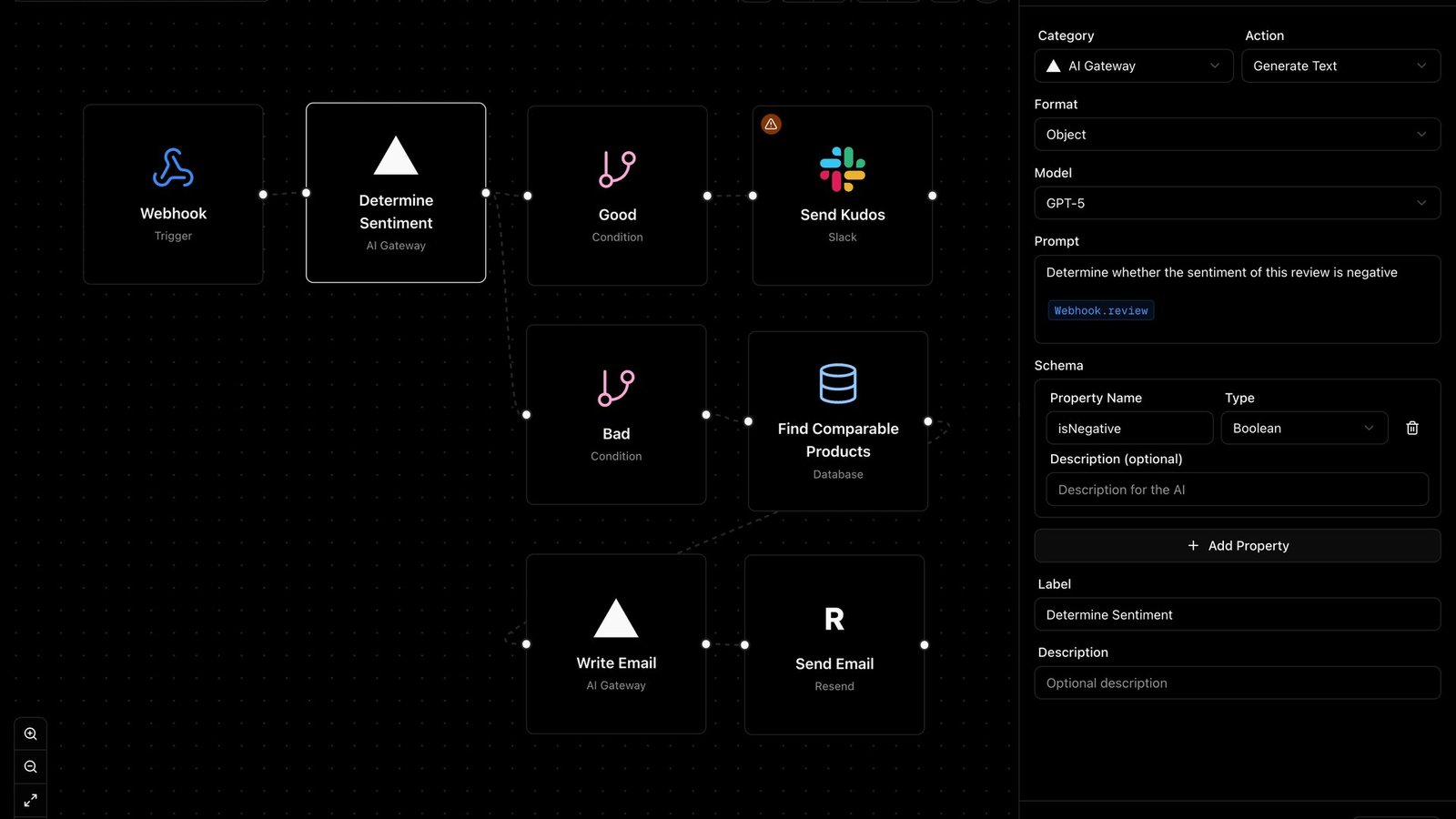
Each builder is rated 0-10 on six failure modes. We weight by how often each one actually kills a production rollout, not by how good it looks in a launch keynote. No vendor sponsored this scoring, and we sell none of these tools.
The failure-mode matrix: which no-code agent builder breaks in production and why
The single most useful view of these five builders is not a feature checklist — it is a failure-mode matrix that shows what truly works versus what the marketing implies. The table below is the one comparison the vendor blogs will not publish, because for four of these five products at least one row is unflattering.
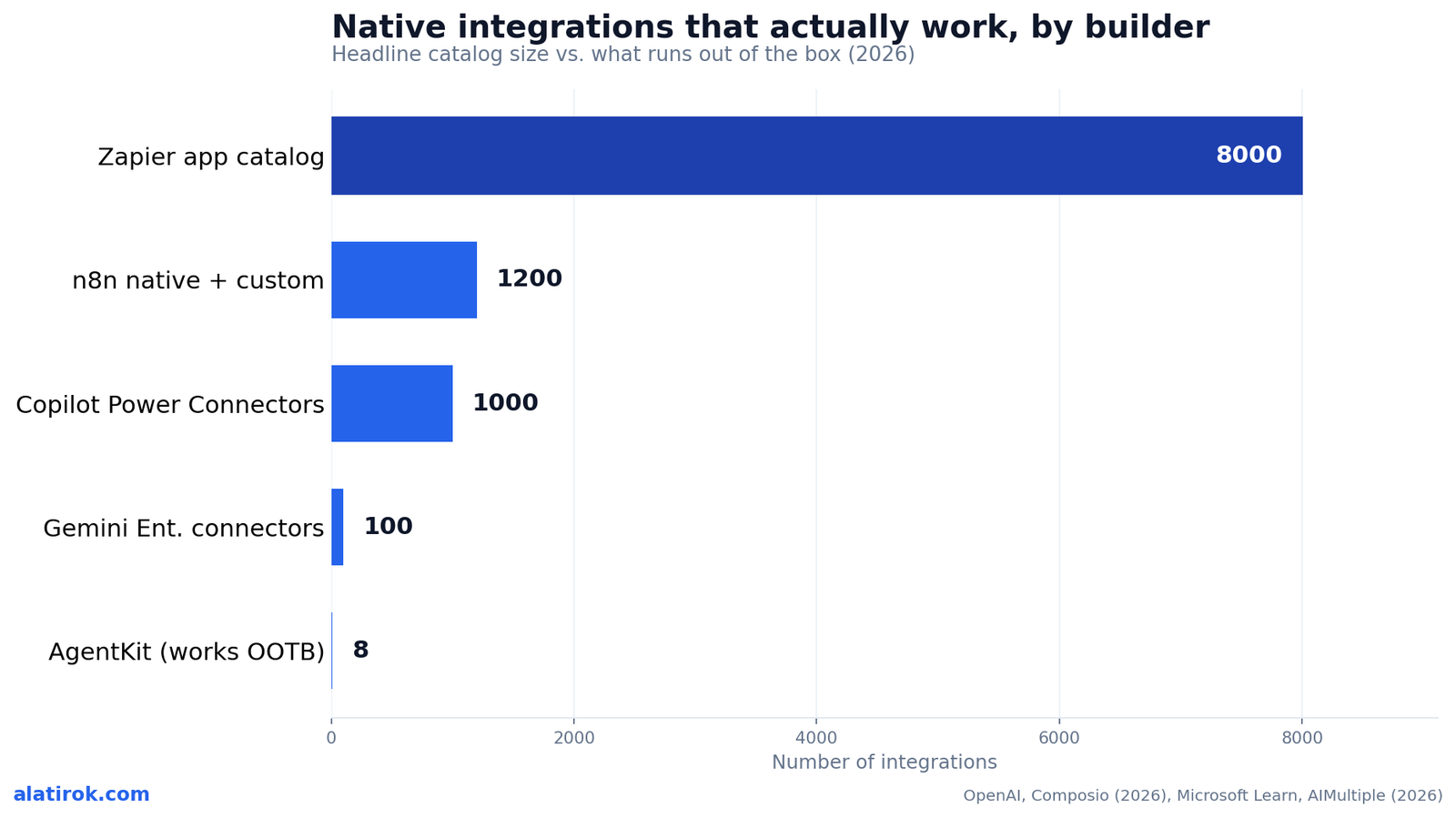
Read the ‘working native integrations’ row carefully. A platform can advertise thousands of connectors and still ship only a handful that perform reliable, authenticated write operations out of the box. That gap between the headline number and the working number is where most no-code agent builder integration projects quietly die.
“A platform can advertise thousands of connectors and still ship only a handful that perform reliable, authenticated write operations. That gap is where most no-code agent projects quietly die.”
Alatirok analysis, 2026
| Failure mode | OpenAI AgentKit | Copilot Studio | Gemini Enterprise (ex-Vertex) | n8n | Zapier |
|---|---|---|---|---|---|
| Integrations that truly work OOTB | ~8 work natively (e.g. Google Drive, Slack); ‘thousands via MCP’ is theoretical | 1,000+ Power Connectors, but external apps need premium licensing | 100+ Integration Connectors; external apps need connectors or custom code | 1,200+ native integrations + custom nodes | 8,000+ apps (largest catalog) |
| MCP / external WRITE stability | Unstable — updating a Salesforce record is risky without custom engineering | Stable via Power Automate, but premium-gated | Stable inside GCP; external writes need Integration Connectors | Stable; full code access for edge cases | Stable for supported actions; linear only |
| Export / portability | Disabled once you add MCP server nodes — one-way door | Exportable as solutions inside Power Platform; not portable off Microsoft | Code-first via ADK; configs versioned in Firestore | Full export + self-host (open source) | No meaningful export; cloud-locked |
| Event-driven triggers | No native event triggers (‘run when a row appears’) | Yes | Yes (via Cloud Functions / Eventarc) | Yes (webhooks, schedules, polling) | Yes (per-app triggers) |
| Billing model | Pay-as-you-go (OpenAI API usage) | Subscription + consumption (message + premium connector fees) | Pay-as-you-go (GCP usage) | Execution-based (1 run = 1 execution) | Per-task (every step = 1 task) |
| Model lock-in | Total — OpenAI models only | Microsoft / Azure ecosystem | Gemini-first (200+ models incl. Claude available) | Model-agnostic — swap any LLM | Largely abstracted; limited control |
OpenAI AgentKit vs n8n vs Zapier: which one actually runs your workflow?
For OpenAI AgentKit vs n8n vs Zapier, the deciding factor is not the canvas — they all have one — it is how each platform connects to the outside world and what it costs to run at volume. AgentKit gives you the slickest authoring experience and the tightest tie to OpenAI’s models; n8n gives you the deepest control and the cheapest runtime; Zapier gives you the biggest app catalog and the simplest mental model.
AgentKit, launched by OpenAI in late 2025, ships a visual node canvas, inline evals, versioning and roughly 21 embeddable ChatKit widgets. It is genuinely pleasant to build in. The problem is the action layer: per Composio’s 2026 analysis, only about 8 integrations work out of the box, and MCP write operations remain unstable — so an agent that needs to update a CRM record rather than just read one is doing custom engineering, not no-code. Worse, per Inkeep, once you add your own MCP server nodes to the graph, the export feature is disabled. Your visual workflow becomes a one-way door into the OpenAI runtime.
n8n is the pragmatist’s pick. It carries 1,200+ native integrations plus 70+ AI-specific nodes, runs anywhere (cloud or self-hosted, open source), and — critically — switched all cloud plans to execution-based billing in August 2025. One workflow run is one execution regardless of how many nodes it touches. It demands more technical literacy than the others, and sophisticated agent patterns still nudge you toward expressions and code, but nothing here gives you more control per dollar.
Zapier is the on-ramp. With 8,000+ app integrations it has by far the widest catalog, and its trigger-action model is the easiest to reason about. The catch is the per-task billing: every step is a billable task, so a 10-node agent costs 10 tasks per run. Per Toolradar’s 2026 pricing breakdown, a 10-step workflow run 200 times a day burns roughly 60,000 Zapier tasks a month versus 200 n8n executions — the same work, at a fraction of the price on n8n. Zapier’s architecture is also linear; deep branching and feedback loops are paid-tier or awkward.
Is OpenAI AgentKit good for production?
OpenAI AgentKit is good for production only when your agent lives almost entirely inside the OpenAI ecosystem and reads more than it writes — for anything heavy on external write operations or multi-vendor integrations, it is not yet a safe production bet. That is a narrower window than the launch coverage suggested, and it is the single question this guide gets asked most.
Three production realities define the boundary. First, the integration ceiling: with only ~8 connectors working natively and unstable MCP writes, the moment your agent needs to mutate state in Salesforce, Jira, or NetSuite, you are writing and maintaining custom MCP servers. Second, the export trap: adding those custom MCP servers disables AgentKit’s export, so you cannot later lift your logic into the Agents SDK for code-level control. Third, no event-driven triggers — AgentKit cannot natively ‘run this agent when a database row appears,’ which rules out a large class of backend automations without bolting on external schedulers.
None of this makes AgentKit a bad product. For an OpenAI-native customer-support or research agent that reads from Drive and SharePoint, answers in a ChatKit widget, and writes little, it is fast, well-instrumented, and pleasant. The honest framing is: AgentKit is an excellent front-of-house agent builder and a constrained back-office automation engine. Buyers who confuse the two end up rebuilding in n8n or the Agents SDK three months in.
If you need OpenAI’s models but production-grade actions, the durable pattern in 2026 is to use AgentKit (or the Agents SDK) as the reasoning brain and pair it with a dedicated, multi-tenant action layer — Composio, Nango, or your own — that owns OAuth, retries, tenant isolation, and observability. The builder is the brain; the action layer is the body.
Pros
Cons
OpenAI Agent Builder vs Copilot Studio vs Vertex AI Agent Builder for the enterprise
For OpenAI Agent Builder vs Copilot Studio vs Vertex AI Agent Builder, the choice is mostly decided by which cloud you already live in — each is a gravity well that pulls your data and identity into its own ecosystem. These three are the ‘big platform’ options, and their strengths and failure modes mirror their parent clouds.
Microsoft Copilot Studio has the deepest enterprise integration story: 1,000+ Power Connectors, native ties to Microsoft 365, SharePoint, Teams and the Power Platform, real event-driven triggers, and solution-based governance. The failure modes are licensing and throttling. External and premium connectors often require additional licensing, and per Microsoft’s own docs, generative and orchestration requests are rate-limited per Dataverse environment — once you hit the per-minute or per-hour quota, agent messages are blocked. That makes Copilot Studio superb as a Microsoft-centric copilot and awkward as a high-throughput, multi-cloud backend engine.
Google’s Gemini Enterprise Agent Platform — the rebranded Vertex AI Agent Builder — leans on the open-source Agent Development Kit (ADK), which passed 7M+ downloads by early 2026 and reached stable v1.0 across Python, Go and Java. It integrates natively with BigQuery, Firestore and the rest of GCP, bundles 200+ models (including Claude), and offers a managed runtime (Agent Engine) plus the low-code Agent Studio surface. Its failure mode is the same as the others inverted: external, non-Google apps require Integration Connectors or custom code, and the unit economics assume your data already lives in Google Cloud.
AgentKit (Agent Builder) is the lightest-weight of the three and the only one not anchored to a full enterprise cloud. That is a strength for speed and a weakness for governance: it has no equivalent of Power Platform’s solution model or GCP’s IAM and Firestore-versioned configs. For a regulated enterprise with strict tenant isolation and audit requirements, Copilot Studio and Gemini Enterprise are simply further along; AgentKit shines when you want to ship an OpenAI-powered agent quickly without an enterprise platform tax.
All three big-platform builders pull your data, identity and billing into one cloud. That is convenient until the day you want to leave. n8n is the only builder in this comparison where the workflow, the runtime (self-host) and the model are all genuinely portable.
AgentKit vs Vertex AI Agent Builder: the head-to-head buyers keep searching
In AgentKit vs Vertex AI Agent Builder (now Gemini Enterprise Agent Platform), AgentKit wins on speed-to-first-agent and authoring polish, while Gemini Enterprise wins on production governance, model choice and external data integration — so the pick is ‘prototype fast’ versus ‘run at enterprise scale.’ This is the comparison the seed-fact data supports most directly, and the two products sit at opposite ends of the maturity spectrum.
Choose AgentKit when your team is OpenAI-native, you want an embeddable chat agent live this week, your integrations are mostly reads from Drive/SharePoint/Slack, and you do not need to swap models. You trade away portability (export dies with custom MCP), event triggers, and model choice for a genuinely best-in-class authoring loop with built-in evals and trace grading.
Choose Gemini Enterprise / ex-Vertex when you need governance and scale: IAM-based access control, configs versioned in Firestore, a managed runtime that scales, 200+ models including Claude so you are not locked to one vendor, and deep BigQuery analytics. You trade away AgentKit’s authoring simplicity and accept that external SaaS apps need Integration Connectors or code — but for a multi-agent system handling real enterprise data, that ceiling is much higher.
The tie-breaker most buyers miss is model lock-in. AgentKit is OpenAI-only by design. Gemini Enterprise, despite the Gemini-first branding, exposes 200+ models and ships a model-agnostic, container-deployable ADK. If your 18-month roadmap includes ‘we might move off our current model vendor,’ that optionality is decisive — and it is the same reason n8n keeps showing up as the neutral default.
No-code agent builder integrations and billing: the numbers that decide it
~8
AgentKit integrations working out of the box
vs ‘thousands’ implied by MCP marketing (Composio, 2026)
10x
Cost gap, Zapier vs n8n on a 10-step agent
per-task billing vs execution-based (Toolradar, 2026)
7M+
Google ADK downloads by early 2026
powering the Gemini Enterprise Agent Platform (Google Cloud)
1,000+
Copilot Studio Power Connectors
but external apps need premium licensing (Microsoft)
The two specifications that most reliably predict regret are the real no-code agent builder integration count and the billing model — get either wrong and the project becomes either impossible or unaffordable at scale. These are the least glamorous rows in the matrix and the ones buyers underweight most.
On integrations, treat every headline number as an upper bound and ask three questions: how many work without custom code, how many support authenticated WRITE operations, and how many handle per-user (multi-tenant) credentials. AgentKit’s ~8 working integrations, Copilot Studio’s premium-gated external connectors, and Gemini Enterprise’s GCP-first connectors all shrink dramatically under those three filters. n8n (1,200+ native) and Zapier (8,000+ apps) hold up best on raw breadth, but neither natively solves secure multi-tenant credential management — which is precisely the gap dedicated action layers exist to fill.
On billing, the model matters more than the sticker price. Zapier’s per-task model multiplies cost by your step count: a 10-node agent is 10 tasks per run, and at volume that pushes you into $400+/month enterprise tiers while the same work on n8n’s execution-based plan stays near $50/month per Toolradar’s 2026 figures. AgentKit and Gemini Enterprise are pay-as-you-go on model usage (great for spiky, low-volume agents; unpredictable for chatty ones), and Copilot Studio layers consumption and premium-connector fees on top of subscriptions. Model your real run frequency before you sign anything.
This is why Composio and its peers argue that the builder is only the orchestration brain. In production you still need a secure, multi-tenant action layer that owns OAuth, retries, isolation and observability — the ‘body’ none of these visual builders fully provides. Budget for it as a line item from day one rather than discovering the gap during your first multi-tenant rollout.
Verdict: the job-to-tool router for the best no-code AI agent builder 2026
n8n is the best all-round no-code AI agent builder in 2026 — but match the tool to the job
There is no single best no-code AI agent builder 2026 — there is a best builder for your specific job, and the router below maps the most common jobs to the tool that fails least on the dimension that job cannot afford to fail on. Match yourself to a row and you will skip the three-month rebuild.
If you want maximum control, the cheapest runtime, model freedom and an exit hatch: choose n8n. If you live in Microsoft 365 and need governed copilots: Copilot Studio. If you run on GCP and need enterprise governance plus model choice: Gemini Enterprise (ex-Vertex). If you are OpenAI-native and shipping a read-heavy chat agent fast: AgentKit. If you need the widest app catalog and the simplest mental model for light workflows: Zapier — just watch the per-task bill.
Whatever you pick, separate the brain from the body. Use the builder for orchestration and reasoning, and pair it with a dedicated action layer for secure, multi-tenant writes. That one architectural decision is what turns an impressive demo into an agent that survives its second month in production.
n8n
Best for: Technical teams building serious internal automation that must scale cheaply
What works
Watch out for
Microsoft Copilot Studio
Best for: Enterprises standardized on Microsoft 365 and the Power Platform
What works
Watch out for
Gemini Enterprise (ex-Vertex AI Agent Builder)
Best for: Teams on Google Cloud needing governed, multi-agent systems with model choice
What works
Watch out for
OpenAI AgentKit (Agent Builder)
Best for: OpenAI-native teams shipping read-heavy chat agents quickly
What works
Watch out for
Zapier
Best for: Small/mid teams wiring light, SaaS-heavy workflows fast
What works
Watch out for
Builder’s take
I build agent infrastructure for a living at Cyntr and Loomfeed, and I’ve shipped enough visual workflows to know the demo is never where these tools break. They break three weeks later, in production, on the boring stuff. Here’s what I tell people who ask me which one to pick:
- The integration number in the marketing is a vanity metric. What matters is how many integrations support stable WRITE operations under real auth — and that number is always a fraction of the headline. AgentKit advertises ‘MCP, so thousands’ and ships ~8 that actually work out of the box.
- Ask ‘what happens when I add my own MCP server?’ before you commit. On AgentKit, the answer today is ‘export turns off’ — your visual graph becomes a one-way door. That single fact disqualifies it for a lot of teams that need code-level control later.
- Billing model is an architecture decision, not a line item. Zapier’s per-task pricing makes a 10-step agent 10x more expensive to run than n8n’s per-execution model. At any real volume that gap decides the project.
- Model lock-in is the slow-acting poison. AgentKit ties you to OpenAI, Copilot Studio to the Microsoft stack, the Gemini Enterprise platform to Google. n8n is the only builder here where the model is genuinely swappable — and in 2026 that optionality is worth paying for.
- Almost everyone needs a separate, secure action layer (Composio, Nango, or your own) regardless of which builder they pick. The builder is the brain; multi-tenant OAuth, retries and isolation are the body, and no visual canvas gives you that for free yet.
Frequently asked questions
n8n is the best all-round no-code AI agent builder in 2026 for most technical teams because it combines 1,200+ native integrations, model-agnostic agents, execution-based billing (one run = one execution) and a self-host option. But the right pick depends on your stack: Copilot Studio for Microsoft 365 shops, Google’s Gemini Enterprise Agent Platform for GCP, AgentKit for OpenAI-native read-heavy chat agents, and Zapier for light, SaaS-heavy workflows.
OpenAI AgentKit is production-ready only within a narrow window: OpenAI-native agents that read more than they write. Only about 8 integrations work out of the box, MCP write operations are unstable, there are no native event-driven triggers, and export is disabled once you add custom MCP server nodes. For external write-heavy or multi-vendor automation, pair AgentKit with a dedicated action layer or choose n8n or the Gemini Enterprise platform.
AgentKit wins on authoring polish and speed-to-first-agent; Vertex AI Agent Builder — now Google’s Gemini Enterprise Agent Platform — wins on production governance, external data integration and model choice. AgentKit locks you to OpenAI models, while Gemini Enterprise exposes 200+ models (including Claude) via the ADK, which passed 7M+ downloads by early 2026. Pick AgentKit to prototype fast, Gemini Enterprise to run governed multi-agent systems at scale.
Zapier charges per task, where every step in a workflow is a billable task, while n8n charges per execution, where one workflow run counts once regardless of node count. A 10-node agent costs 10 Zapier tasks but 1 n8n execution per run. At volume this is roughly a 10x cost gap — a workflow that stays near $50/month on n8n can push Zapier into $400+/month tiers, per Toolradar’s 2026 pricing analysis.
Rarely in the way the marketing implies. Headline catalog numbers count every theoretically reachable app, but the count that matters is how many support stable, authenticated WRITE operations out of the box. AgentKit advertises ‘thousands via MCP’ but only about 8 work natively. Copilot Studio’s 1,000+ connectors often need premium licensing, and Gemini Enterprise’s external apps need Integration Connectors. Always verify the working number, not the headline.
An action layer is the secure, multi-tenant infrastructure that handles per-user OAuth, credential isolation, retries and observability when your agent takes real actions in external systems. Vendors like Composio and Nango argue the visual builder is only the orchestration ‘brain’ while the action layer is the ‘body’ that production requires. Most teams need a separate action layer regardless of which builder they choose, because no visual canvas fully solves secure multi-tenant writes yet.
Primary sources
- Introducing AgentKit — OpenAI
- The 2026 Guide to AI Agent Builders (And Why They All Need an Action Layer) — Composio
- OpenAI AgentKit vs n8n vs Zapier: The Definitive Guide — Inkeep
- Low/No-Code AI Agent Builders: n8n, make, Zapier in 2026 — AIMultiple
- Gemini Enterprise Agent Platform (formerly Vertex AI) — Google Cloud
- Resolve throttling errors in Copilot Studio agents — Microsoft Learn
- Google Unveils Gemini Enterprise Agent Platform, Expands Vertex AI — AIwire
- Zapier Pricing 2026: Real Per-Task Cost, vs Make + n8n — Toolradar
Last updated: June 3, 2026. Related: Agent Infrastructure.




